
Know what’s still good.
Shelfie tracks when your makeup and skincare go off, and tells you before they do.

Free for 5 products. No account.
No date on the pack?
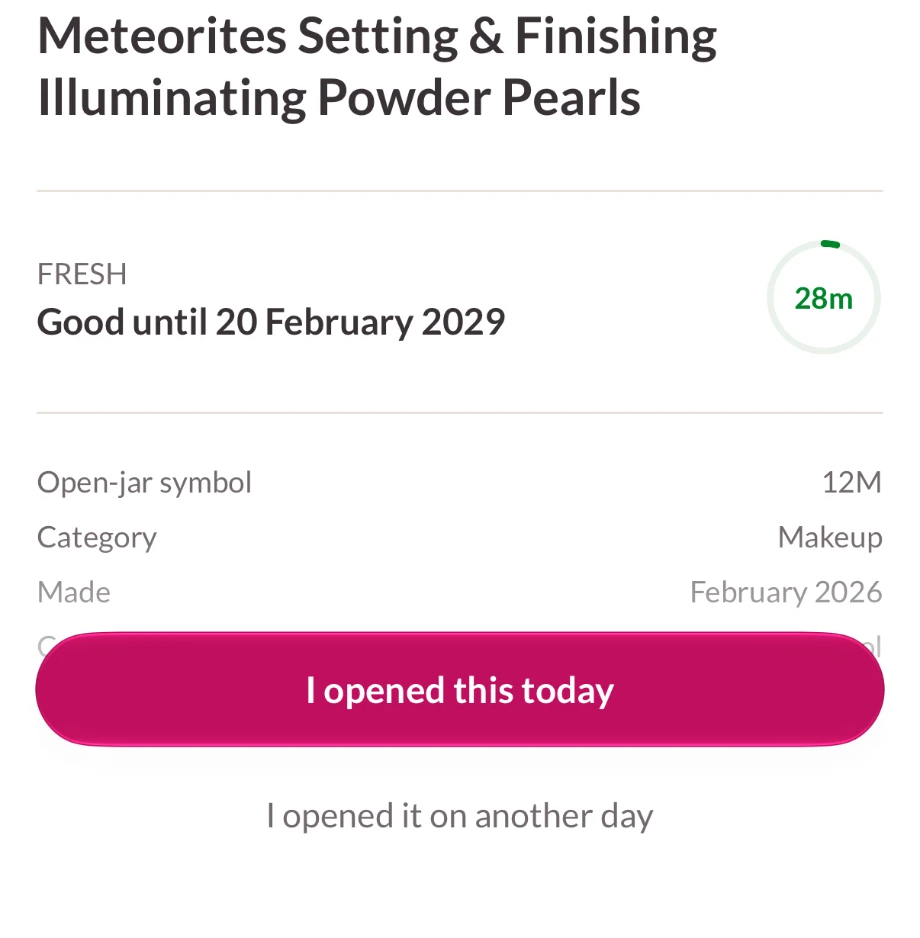
Look for the open jar on the back. “12M” means twelve months after you open it, not after you buy it. Shelfie starts the clock the day you do. If the pack prints a date too, Shelfie keeps both and goes by whichever comes first.
How it works
-
Step 1
Snap the label.
Shelfie reads the brand, the product and the open-jar months off the pack, on your phone.
-
Step 2
Tap “I opened this today.”
That starts the clock. Opened it last month? Pick the day.
-
Step 3
Get a heads-up.
A reminder before it goes off, at a time you choose.
Use it up before it turns.
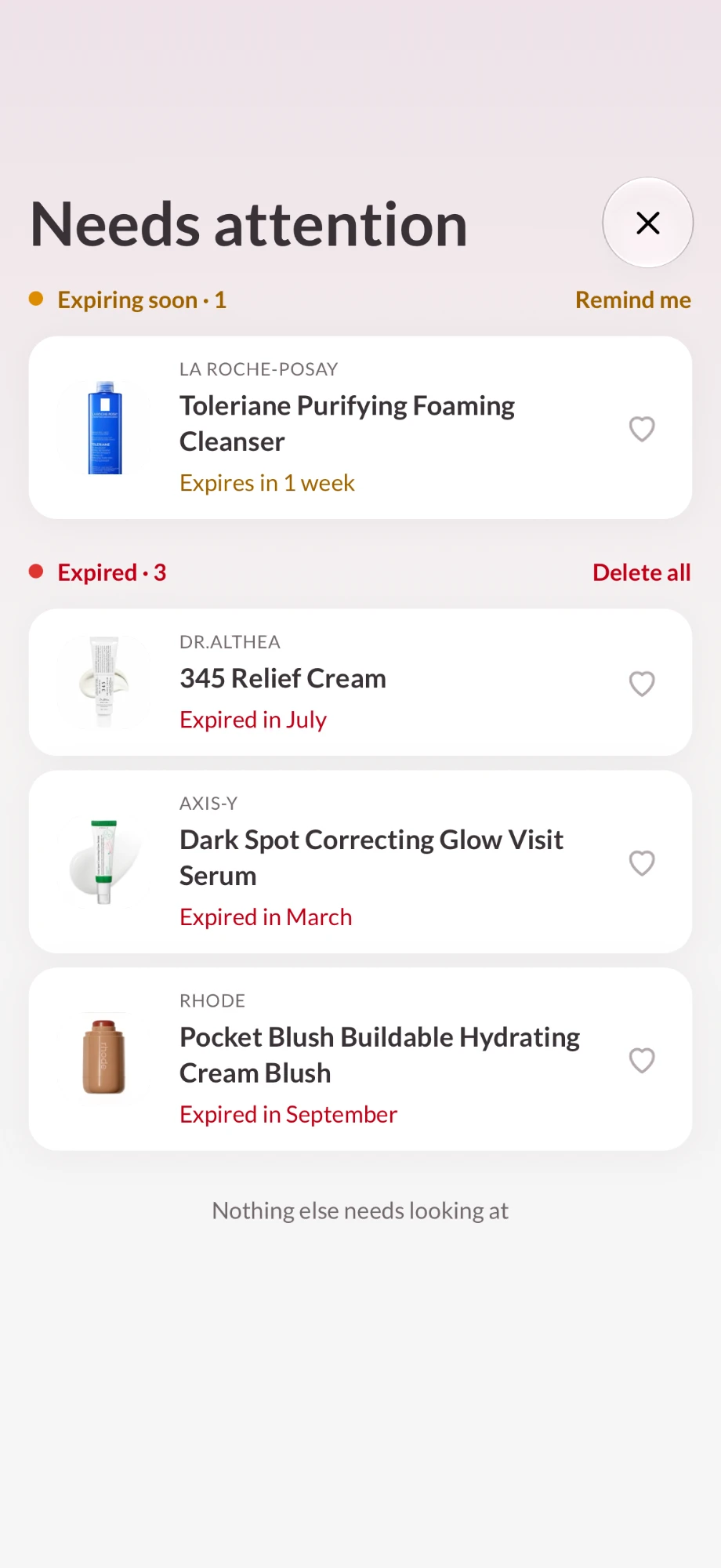
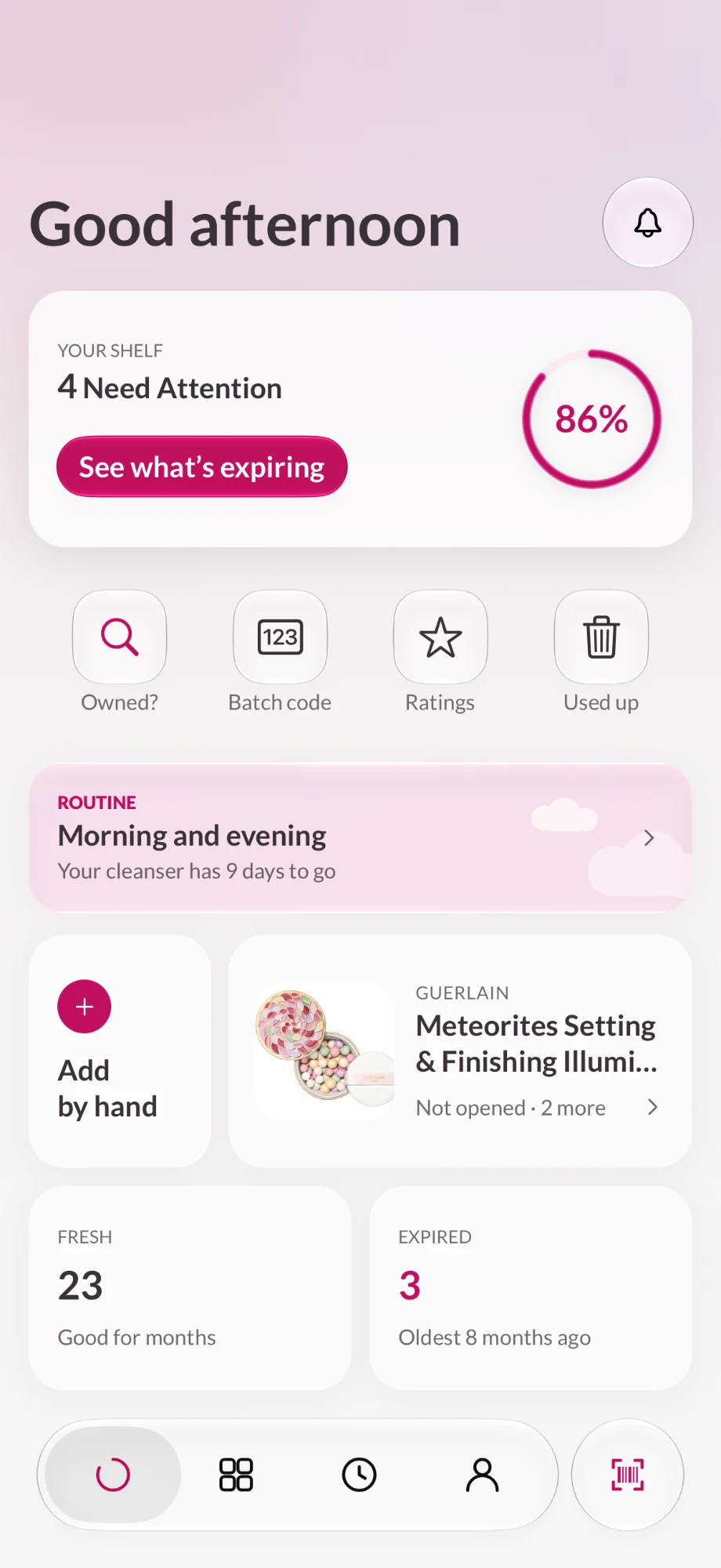
What needs you comes first: what’s expiring soon, then what’s already gone off. The home screen shows how much of your shelf is still good.
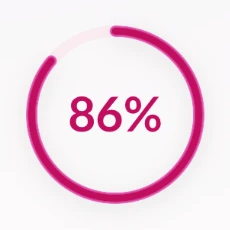
The share of your shelf that isn’t expired or expiring soon.
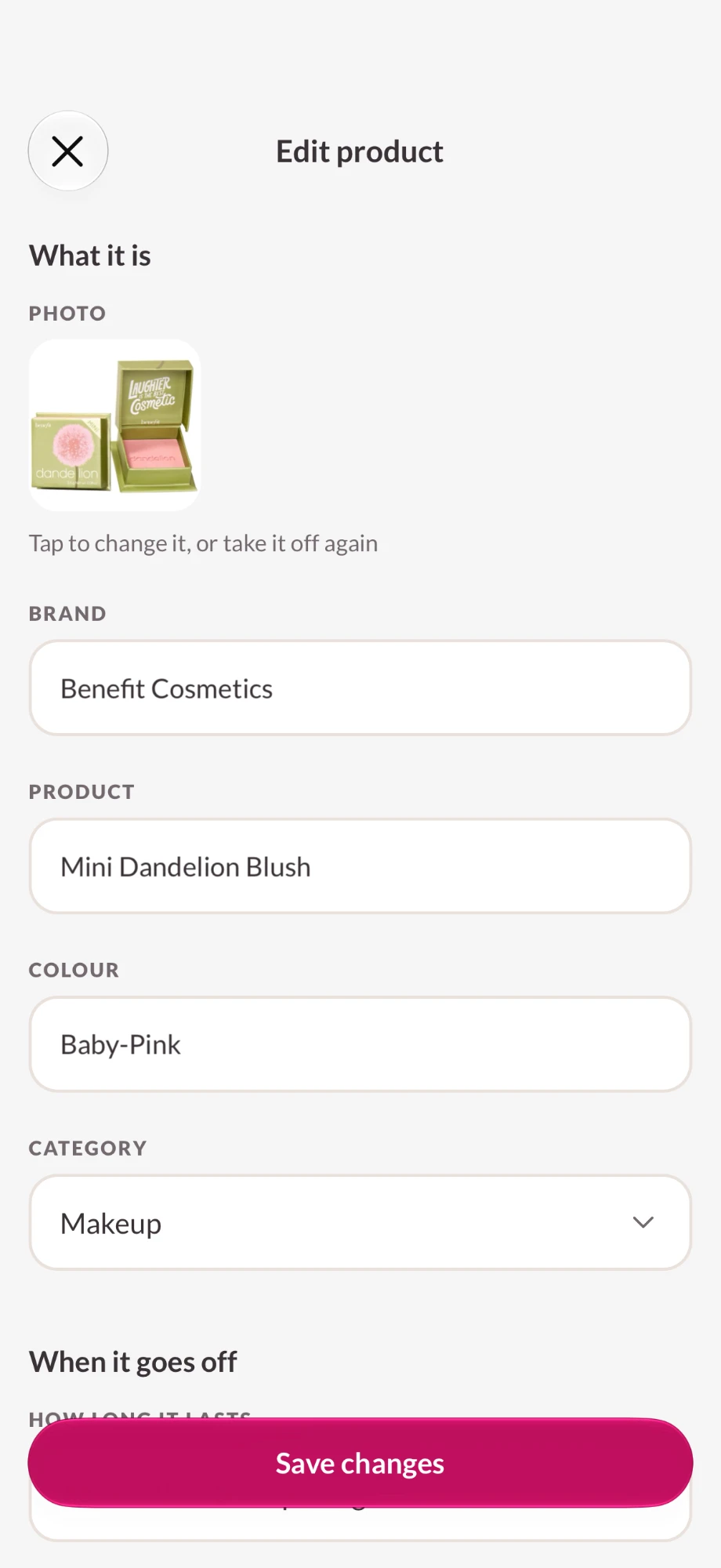
Every detail, yours to correct.
Shelfie fills in what it reads off the label. Change any of it: brand, product, shade, category, how long it lasts. Or type it all in yourself.
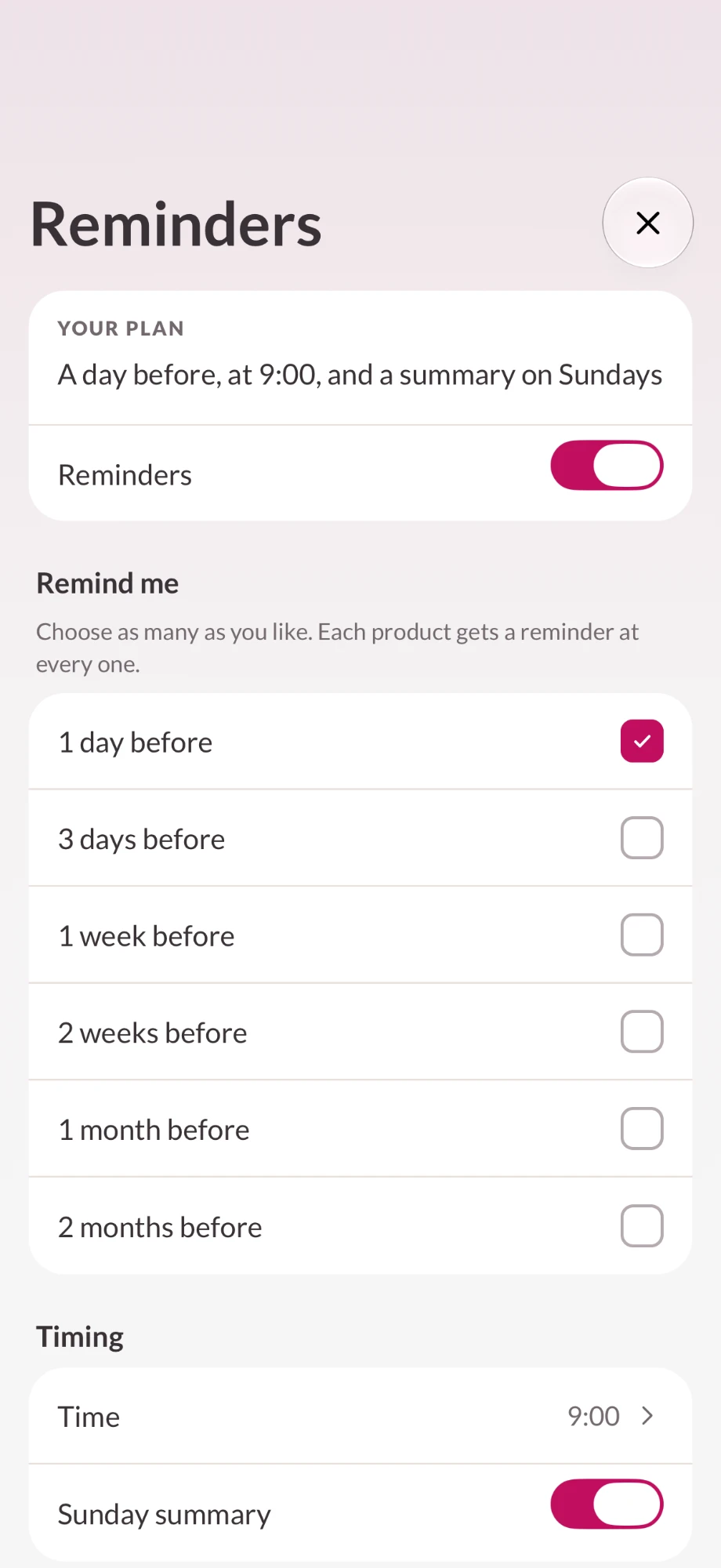
A heads-up, not a nag.
A day before, a week before, a month before. Pick when, and the time of day. One summary a day at most, never one alert per product. A Sunday round-up if you want it.
Free: one lead time. Plus: combine several.
Already own it?
In the shop, scan a barcode and Shelfie checks your own shelf. It tells you if you already have one, how you rated it, or when you last used one up. It works without signal.
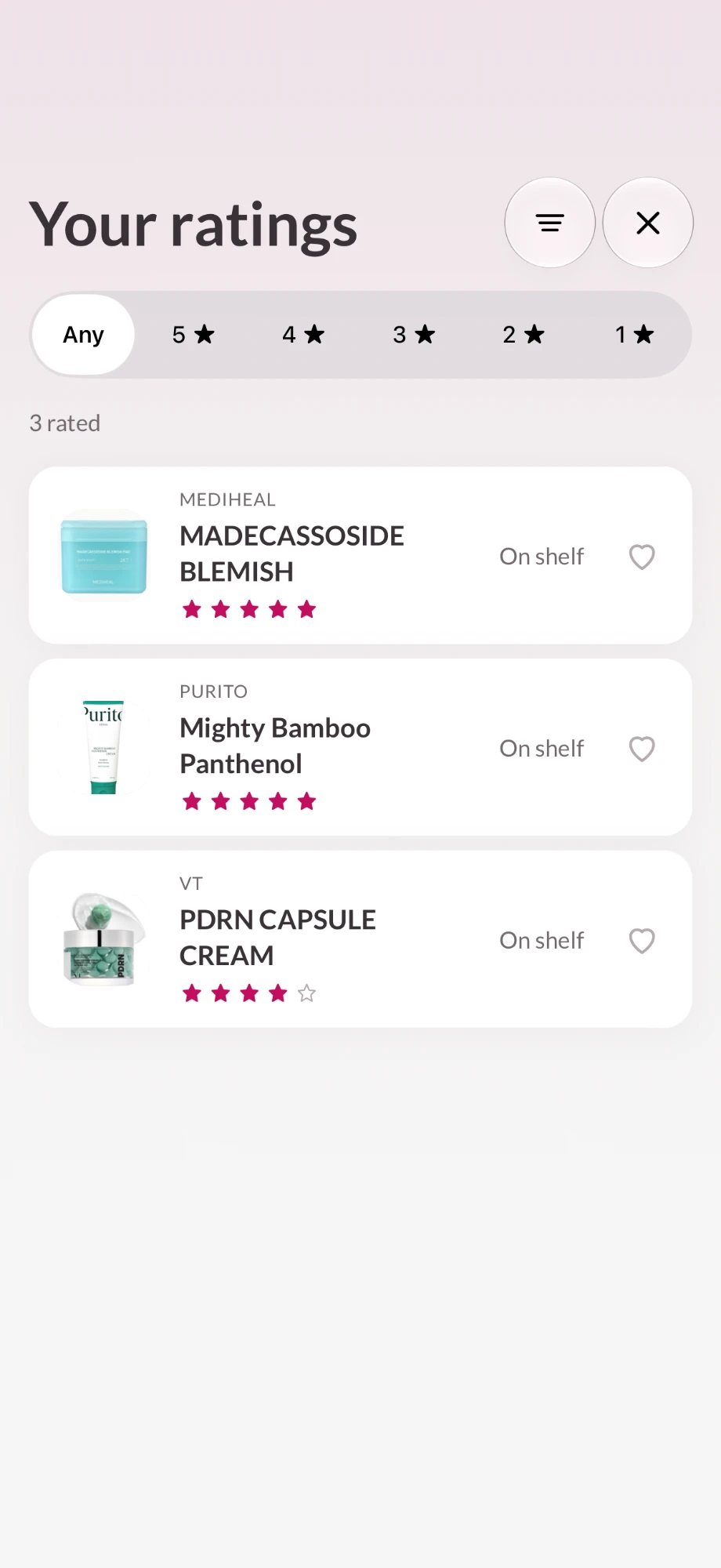
Remember what you loved.
Rate what you use, heart your favourites, and find them again before you rebuy. Used up keeps what you finished apart from what you binned.
Also in Shelfie
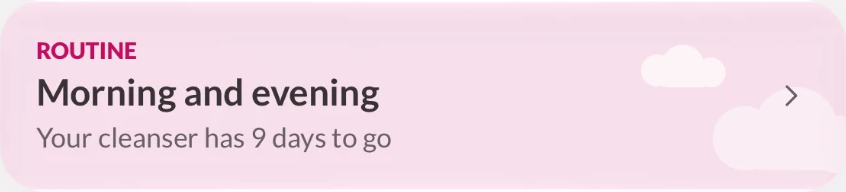
Skincare routine
Morning and evening steps, each with the product that fills it and how long it has left. Add, remove and reorder steps, name your own, or set a different routine for each day of the week.
Ingredients I avoid
Write down the ingredients you want to avoid. Shelfie shows where they appear on your products’ labels, and in the shop for things you don’t own yet.
Batch codes
For brands from one large beauty group, Shelfie turns the stamped batch code into the month the product was made, then estimates a date for unopened ones.
Sunscreen done right
Sunscreen goes by its printed date only, because the open-jar symbol doesn’t apply to SPF. It’s the one where a wrong date matters.
Clean product photos
“Cut out the product” lifts the pack off its background, on your phone (iOS 17 or later). Products without a photo get a drawing of their type.
Notes and “Bought it again”
Add a note to any product. “Bought it again” copies a product for the new jar. Swipe to remove, long-press for quick actions.
Your shelf is nobody else’s business.
No account, no sign-up.
There’s no sign-in and no Shelfie server holding a copy of your shelf.
Labels are read on your phone.
No photo is uploaded to read a label or to cut out a product.
No ads, no tracking, nothing sold.
No analytics or advertising software, and nothing about you is shared with brands or retailers.
Free to start. Pay once for more.
No ads in either version.
Up to 5 products
- Label reading
- Barcode check
- Reminders, with one lead time
- Shop check
- Ratings
- Skincare routine
- Ingredient watchlist
- Batch codes
- Used up
One payment, yours for good. No subscription, nothing renews.
US price. The App Store shows your local price.
- Unlimited products
- Everything in Free
- Multiple shelves
- Custom reminder schedules, with several lead times
- Export your shelf as a spreadsheet
What does “12M” on my makeup mean?
It’s the period after opening: the product is good for twelve months from the day you open it. Shelfie starts counting from the day you tell it.
What if the pack has no symbol?
Shelfie uses a typical figure for that kind of product and says it’s typical, not read off the pack. You can change it.
Shelfie’s defaults when a pack shows no symbol. The symbol on the pack always wins.
| Mascara, liquid eyeliner | 3 months |
| Liquid foundation, concealer, lip gloss | 6 months |
| Serum, moisturiser, cleanser | 6 months |
| Lipstick, pencil eyeliner | 12 months |
| Hair and body care | 12 months |
| Powders, nail polish | 24 months |
| Fragrance | 36 months |
| Sunscreen | The printed date, always |
What about sunscreen?
It goes by the printed expiry date. The open-jar symbol doesn’t apply to SPF.
Do I need an account?
No. There’s no sign-up, no email and no password.
Where is my data?
On your phone. There’s no Shelfie server holding a copy.
What happens when I get a new phone?
Plus comes back with Restore purchase on the same Apple Account.
Is it a subscription?
No. Free covers 5 products; Plus is one payment.
Is there an Android version?
Not yet.
Does Shelfie tell me if a product is safe?
No. It tracks dates. If something smells, looks or feels different, bin it whatever the app says.
Something else? Write to hello@themit.ca.